Customer service software is converging.
Most platforms added live chat first, then ticketing, then AI agents, then no-code automations. Tidio shipped the same four pieces under one roof, and that’s the product you’re paying for. The platform combines live chat, helpdesk ticketing, no-code Flows automations, and Lyro AI into one subscription stack.
The conversation math is the part nobody talks about: live conversations are metered, Lyro AI conversations are metered separately, and Flows visitor reach is capped per plan (tidio.com/pricing, captured recently).
What the product actually is
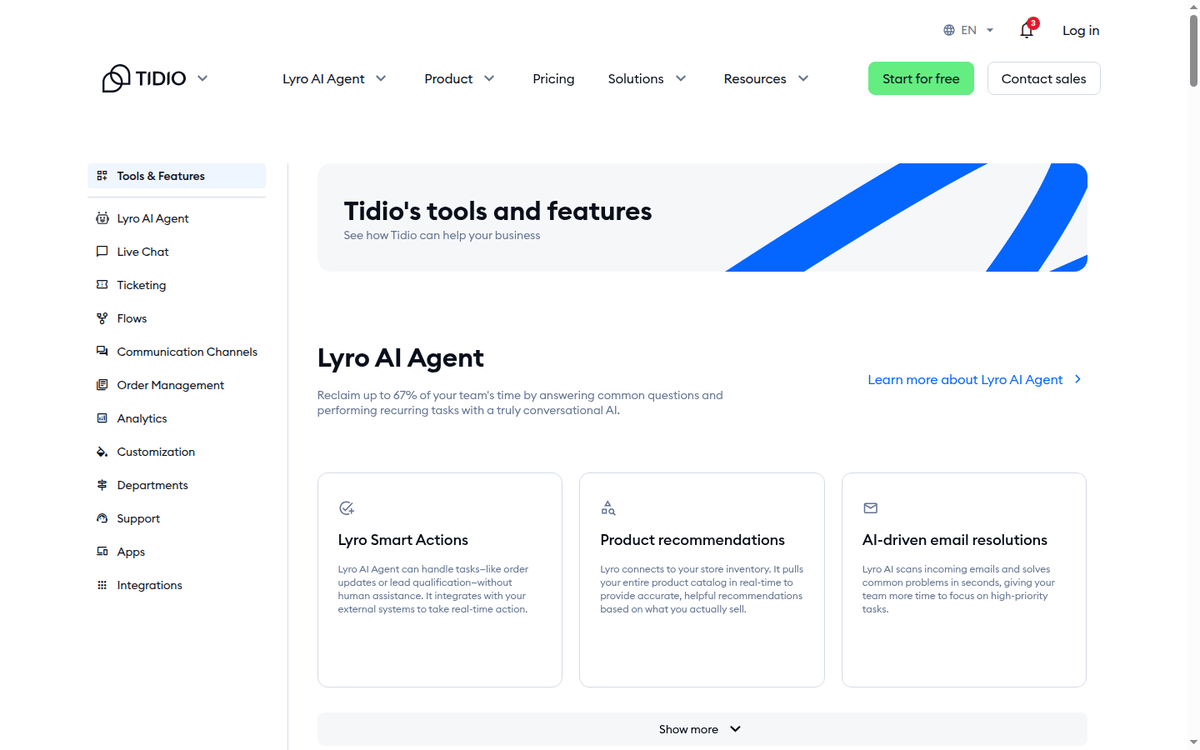
Tidio positions itself as a customer service platform with four surfaces:
- live chat
- helpdesk ticketing
- no-code Flows automations
- the Lyro AI agent
The same dashboard runs all four. It is one of the SaaS and business tools we cover, and the metering model is what makes it unusual in that group.
The platform targets SMB ecommerce sites that need chat, basic ticket management, and an AI agent that can deflect and resolve without forcing the customer through a button tree (tidio.com, captured recently).
Four surfaces, three meters
The platform ships four surfaces, and the way it makes money is conversations, not seats. Live conversations, Lyro AI chats, and Flow visitors each meter separately under your quota. Annual billing unlocks two months free; month-to-month keeps the sticker rate.
How much does Tidio cost once your conversation volume outgrows the free tier?
Free — a permanent tier rather than a trial, sized for a small support desk and nothing more.
Starter — the first paid rung, where all three meters start moving at once: conversations, AI chats and Flows reach.
Growth — the rung most storefront deployments land on, and the one whose card publishes no Lyro quota of its own.
Add-ons — Lyro AI and Flows are sold apart from the plans, each metered by its own unit.
Plus and Premium sit above them, with custom usage rates, departments, custom branding and the Open API; Premium turns into a sales call with pay-per-resolution billing, SSO and compliance. Every plan carries a trial.
How the price list is split
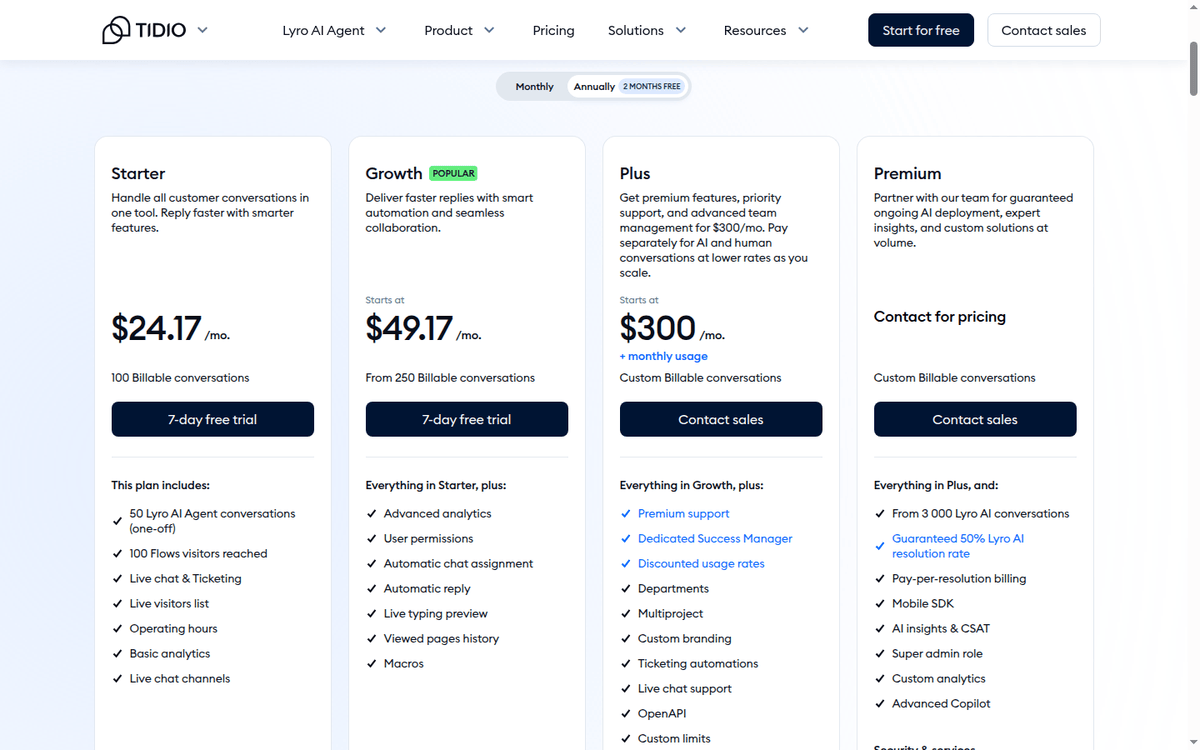
Pricing lives at tidio.com/pricing. The page lists four plans plus two standalone add-ons (Lyro AI Agent, Flows). All three rate surfaces are metered: live conversations, Lyro AI chats, and Flows visitors reached. Plans bundle a fixed quota; the tier above moves you up the meter (tidio.com/pricing, captured recently).
The gaps on the pricing card
What is not on the page: per-seat pricing, multi-year discounts, or usage rates above the published calculator tiers. Custom usage rates for Plus and Premium are described as “discounted” without absolute numbers.
We did not check out a plan or run Lyro against a real inbox. The numbers below come from the public pricing page and the calculator tiers published alongside it.
The four plans, line by line
| Plan | Billed monthly | Billed annually |
|---|---|---|
| Free | $0 | — |
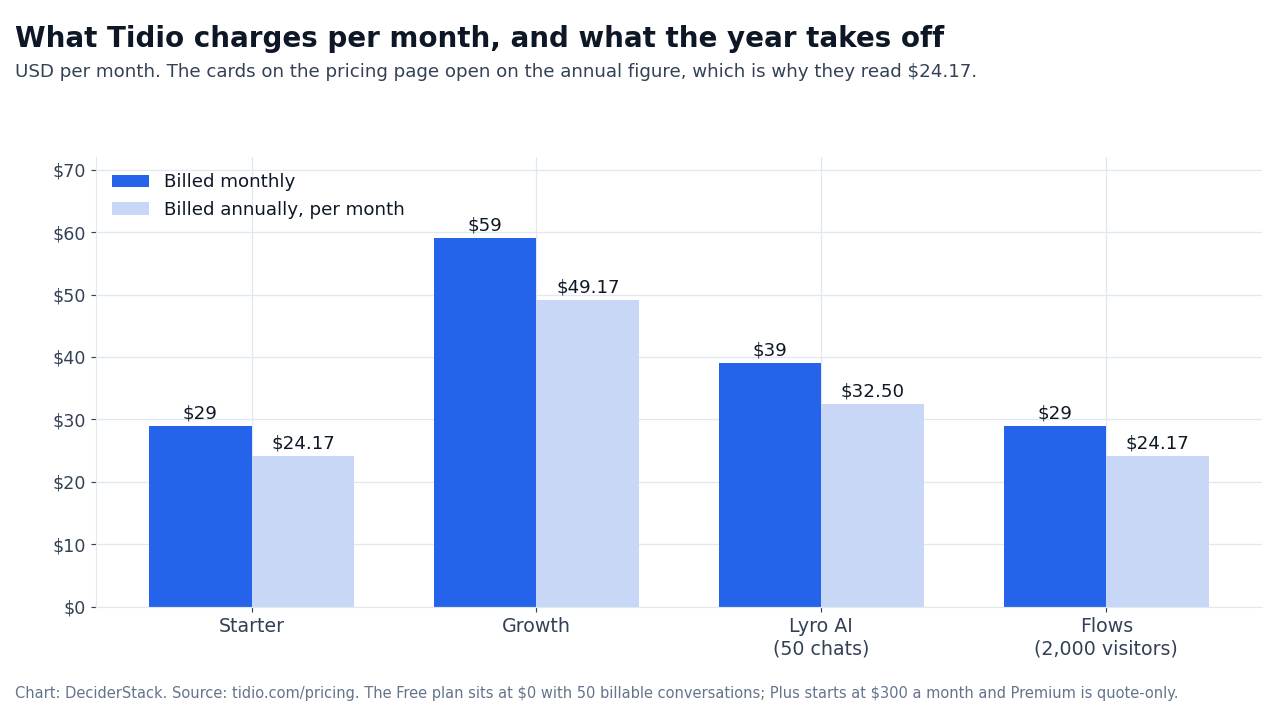
| Starter | $29 | $24.17 |
| Growth (Most Popular) | $59 | $49.17 |
| Plus | From $300 | Not published |
| Premium | Contact sales | Contact sales |
| Plan | Live conversations | Lyro AI conversations | Flows visitors reached |
|---|---|---|---|
| Free | 50 | — | — |
| Starter | 100 | 50, one-off | 100 |
| Growth | 250 | Not published | 2,000 |
| Plus | Custom | Custom | Custom |
| Premium | Custom | From 3,000 | Custom |
The 7-day trial sits on every card, standalone Lyro and Flows included.
Reading the two columns
Two things about those columns.
The annual one is the per-month rate you pay when you commit for a year, and Tidio shows it on the cards by default — which is why the pricing page reads $24.17 rather than $29. Annual billing costs about 17% less than paying month to month, which is the two free months spread over twelve.
The currency symbol follows the visitor’s market instead; the digits do not change, so a US visitor reads dollars and a European one euros for the same plan.
One metering question the cards leave open the vendor’s own FAQ answers. A Lyro conversation counts once per customer interaction that gets at least one AI reply, on any connected channel. A long back-and-forth on one issue is still one conversation.
The calculator tiers
Tidio’s calculator exposes conversation tiers that run from 50 to 2,000 live conversations, in uneven steps.
We did not subscribe to map the actual price at each tier against the calculator’s quoted price. The published rates match between the pricing grid and the calculator at the four headline plans, but intermediate tiers are only visible inside the calculator (tidio.com/pricing, captured recently).
Starter: how the platform earns its first dollar
Starter is the cheapest paid plan in the lineup: $29/mo billed monthly, $24.17/mo if you take the year. For that, you get:
- live chat
- ticketing
- the live visitors list
- operating hours
- basic analytics
- 100 live conversations
- 50 Lyro AI chats
- 100 Flow visitors reached per cycle (tidio.com/pricing, captured recently)
The 100/50/100 quotas are tight. A small site with under 1,000 visitors a day and a moderate chat-usage profile will hit the Starter ceiling inside one cycle. Once the live count goes over 100, additional ones are billed at the next calculated tier.
Turning quotas into a daily rate
Convert the quotas before you compare prices. Starter’s 100 live conversations is about three a day, and Growth’s 250 is about eight. The Flow meter is the one that surprises ecommerce teams: 100 reached visitors is a single day of welcome and cart-abandonment flows on a store with modest traffic.
This plan is the right choice if: you need a chat widget plus ticketing, AI is a nice-to-have, and your monthly traffic is light. Not the right choice if: you run paid traffic and expect chat volume to scale with spend.
Growth: the realistic mid-market plan
Growth is flagged “Most Popular” on the pricing page (tidio.com/pricing, captured recently).
At $59/mo billed monthly, the jump from Starter doubles the price for two and a half times the live conversations and twenty times the Flow reach.
That 100 → 2,000 jump on Flows is the meaningful change here: most ecommerce sites that want a “welcome / cart abandonment / browse exit” Flows program will blow past Starter’s 100-visitor cap in days.
Highlights in Growth add:
- advanced analytics
- user permissions
- automatic chat assignment
- automatic reply
- live typing preview
- viewed pages history
- macros
This is the plan most SMB stores under $1M/year in revenue will land on.
The 250 live conversations in the card usually map to a few thousand chat contacts a month, with Lyro handling the first deflection layer — though the Growth card publishes no Lyro quota of its own, so price that from the add-on tiers (50 to 1,000 conversations a month) before you commit.
Plus: the real scaling plan
Plus at $300/mo is the first plan where the meter becomes custom.
The contract moves you to pay-for-AI-plus-human rates that drop as usage scales. Departments, multiproject support, custom branding, ticketing automations, Open API, custom limits, custom seats, larger attachments, and the option to pay by wire transfer are included (tidio.com/pricing, captured recently).
The Plus bill, broken down
The $300/mo headline is the lowest published rate on Plus; the actual bill depends on usage. For a brand running 1,000+ chats a month and a real Lyro rollout, the discount economics matter more than the line-item.
This is also the first plan where the platform supports multi-department routing and multiproject structures — relevant if you operate multiple brands.
Premium: pay-per-resolution and the enterprise bundle
Premium is sales-led. The published entry point is “from 3,000 Lyro AI chats”. The headline economics are pay-per-resolution billing rather than pay-per-conversation, which is the structural shift on this tier (tidio.com/pricing, captured recently).
Premium’s extra surfaces
Premium features that differentiate it from Plus include several distinct surfaces:
- A guaranteed 50% Lyro AI resolution rate.
- Billing moves to pay-per-resolution.
- Mobile SDK is added.
- AI insights and CSAT dashboards land.
- Super admin role, custom analytics, advanced Copilot, Lyro AI as a managed service, Slack support, compliance, and SSO round out the bundle.
The “guaranteed 50% Lyro AI resolution rate” is a vendor-published number. This article did not sign a Premium contract to test it against a benchmark inbox. Treat the guarantee as a contractual claim, not as observed performance.
Lyro AI as a standalone add-on
Lyro is sold on its own: $39/mo billed monthly, or $32.50/mo on the annual plan, for 50 conversations (tidio.com/lyro, captured recently). The standalone price matters if: you already have a chat backend (Zendesk, Intercom, Freshdesk) and just want the AI layer on top.
Lyro has its own 7-day trial and its own metering. Beyond the entry rate the page hands you to the calculator, which walks the Lyro conversation tiers from 50 to 1,000 and shows the rate at each step.
Vendor self-reported metric: “Solve up to 67% of customer problems with Lyro” (tidio.com/lyro, captured recently). We did not run Lyro on a real inbox; the 67% is a vendor-published deflection claim.
Lyro’s own page sells the agent on its own terms: a standalone product for a team that already runs a helpdesk and only wants the AI layer on top of it.
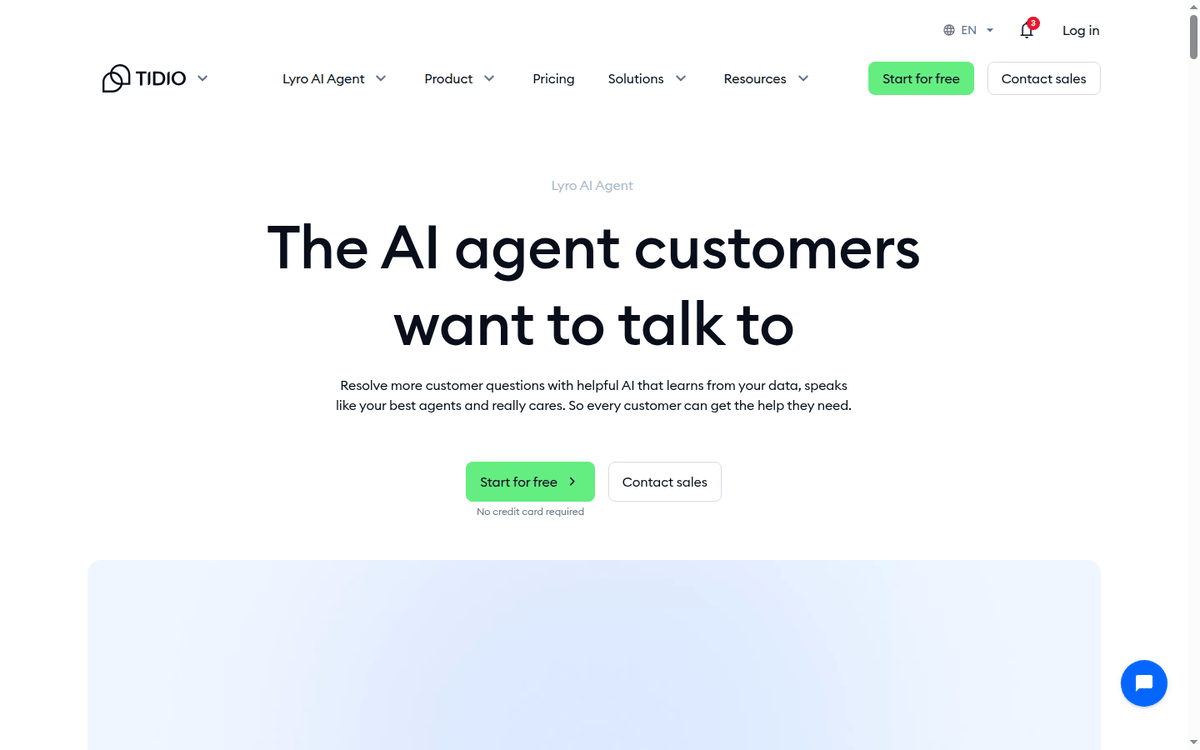
The vendor also says Lyro runs on Claude plus in-house models and learns from your own help content, with custom model training held back for Premium. Treat that as an architecture note rather than a performance promise — the deflection figure above is still the vendor’s own average.
Lyro also belongs to the AI-agent wave we track in our AI tools coverage.
Flows as a standalone add-on
Flows is the no-code automation builder, and like Lyro it is pointed at customer conversations rather than back-office plumbing.
If what you actually need is the second kind, Make is the workflow tool we reviewed for that job. Standalone it is $29/mo billed monthly, or $24.17/mo on the annual plan, for 2,000 visitors reached (tidio.com/flows, captured recently). Visitor tiers in the calculator go up to 100,000.
If you want a welcome flow, a cart-abandonment flow, and a browse-exit flow without buying the chat product, this is the standalone route. Most customers, in practice, run Flows alongside chat because the Flows logic is what hands off to either a human or Lyro.
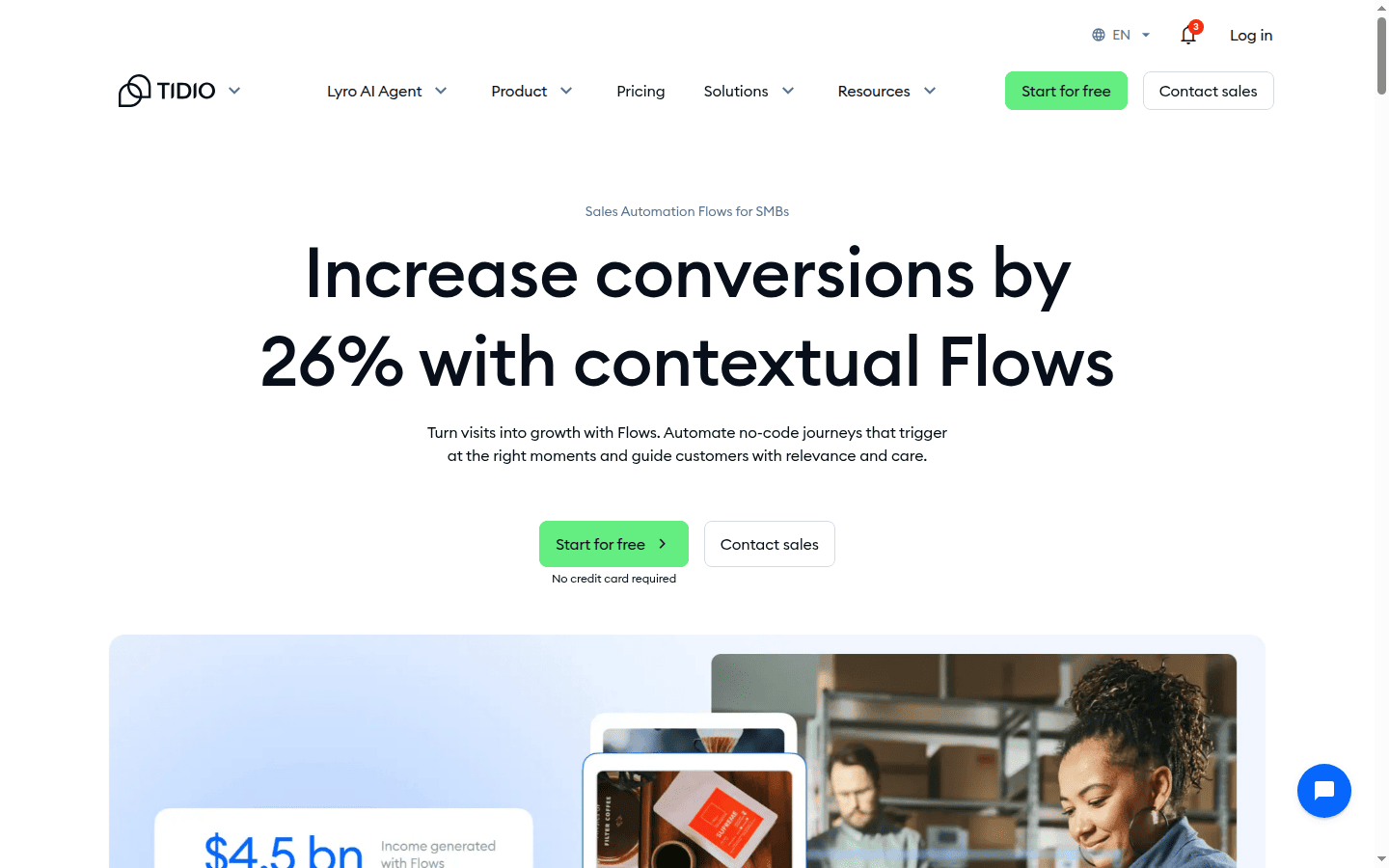
Vendor self-reported metric: “Increase conversions by 26% with contextual Flows” (tidio.com/flows, captured recently). Vendor-published, not third-party verified.
How the four surfaces fit together
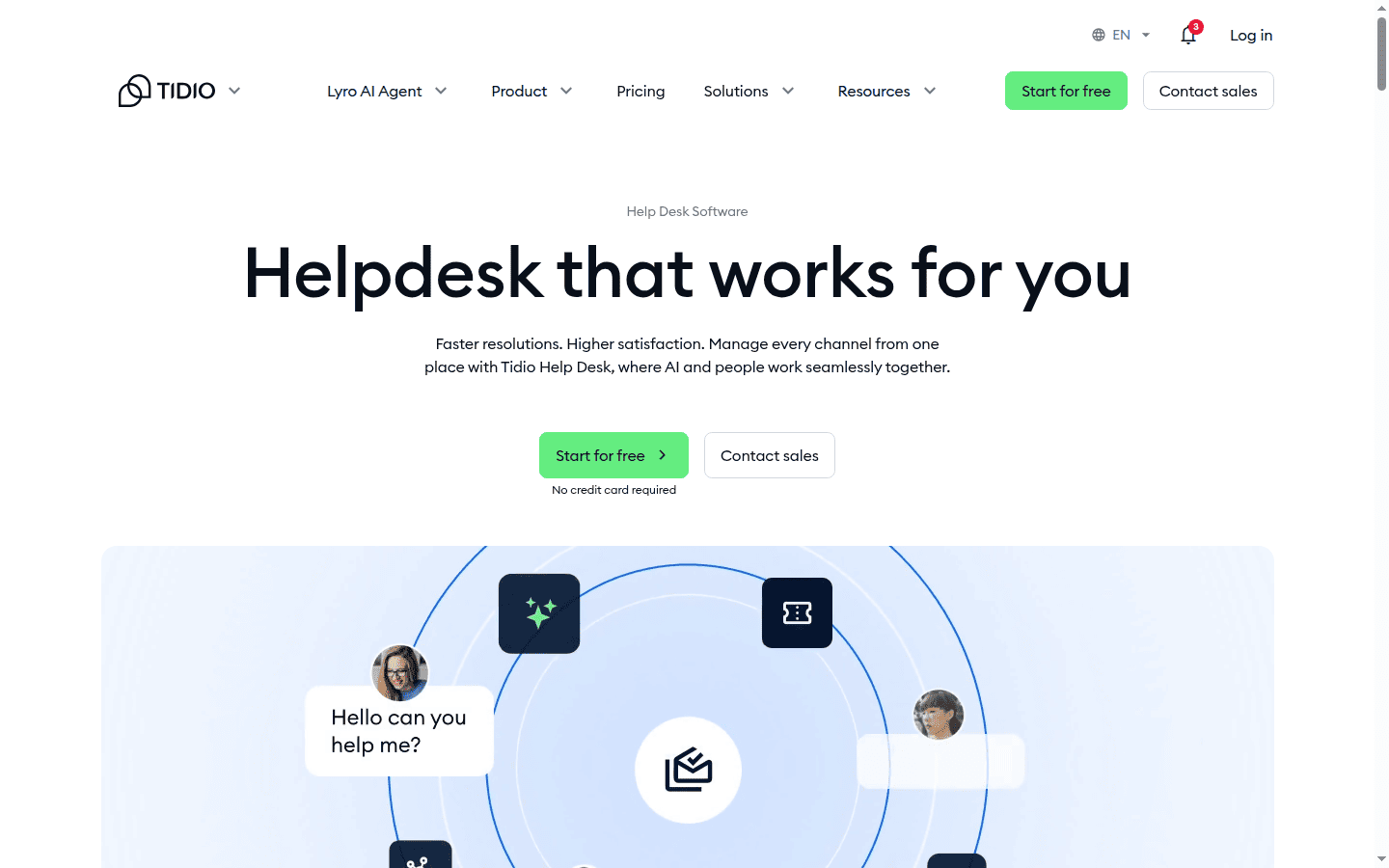
A typical SMB deployment runs Tidio this way.
- Chat widget on the storefront.
- Ticket inbox for email and contact-form messages.
- A few Flows — welcome, cart save, order status.
- Lyro deflecting FAQ-class questions.
The Growth plan covers that for sites up to a few thousand chats a month.
Three meters, one invoice
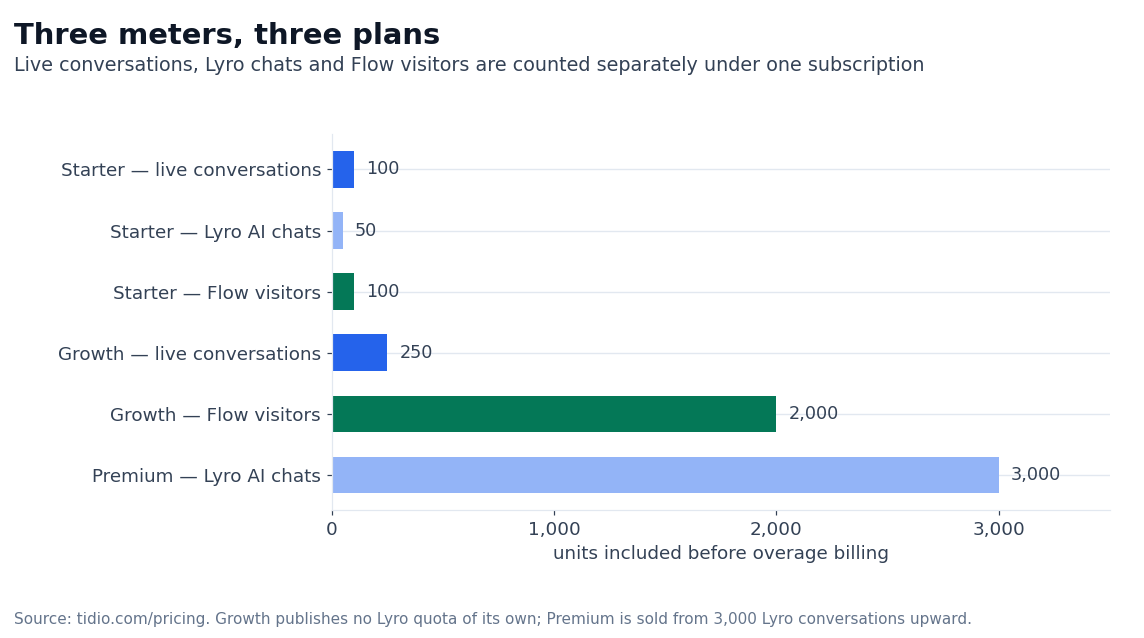
The billing surprise is that all three meters move independently. A site with low live chat but aggressive Flows can blow past Starter on Flow visitors while staying well under 100 live conversations. The pricing page makes the four plan headlines prominent but buries the Flow visitor math.
Put the three meters on one scale and the shape of the ladder shows up quickly. Starter’s allowances are small in every direction, and the step to Growth is mostly a Flow step: the visitor allowance moves by twenty times while live conversations only double.
When Tidio fits (and when it does not)
A good fit under three conditions.
- You run an SMB ecommerce store on Shopify, WooCommerce, or similar, and the storefront is where the conversations start.
- You need live chat, basic ticketing and an AI layer under one subscription. Buying those as three products is where the budget usually breaks.
- Traffic sits in the few-thousand-visitors-a-day range where the Growth plan math works, and pay-per-conversation metering is acceptable to you.
Four situations where it is the wrong buy.
- Sales-led B2B intake. Ticketing plus structured routing is not Tidio’s strongest surface.
- Deep CRM or SFA integration needs. The connectors are there (HubSpot, Salesforce), but the workflow depth is lighter than a purpose-built helpdesk plus CRM stack.
- Usage that scales past Growth’s quotas consistently. Once Plus kicks in, pricing is custom and the procurement becomes a sales conversation.
- On-prem or data-residency requirements. Tidio is a SaaS-only product.
Two neighbors in this stack are worth reading next if your business is not a storefront. Our Mighty Networks review covers the paid-community side, and Adalo covers building the app the chat widget would sit in.
The limits of this review
This article did not check out any paid plan, run Lyro against a real inbox, or place a Plus or Premium contract.
The conversation math above is built from the published pricing page and the calculator tiers — not from measured traffic on a customer account. The 67% Lyro deflection claim and the 26% Flows conversion claim are vendor-published and attributed as such.
Numbers the calculator leaves out
The pricing page’s headline plans are:
- Starter at 100 conversations
- Growth at 250
- Plus custom
- Premium from 3,000
The calculator walks the conversation tiers one at a time, but it does not surface the rate function in a single view. If you want to know the exact monthly rate at, say, 600 conversations or 1,500 conversations, you step into the calculator, slide the selector, and read the price off the panel (tidio.com/pricing, captured recently).
If you operate multiple brands, the multiproject support on Plus and Premium is the relevant feature — it lets you run separate chat inboxes, separate analytics, and separate Lyro models under one contract. The published per-project rate card is what the calculator shows for a single project; multiproject pricing is part of the Plus/Premium sales conversation.
Before you sign a contract
Three checks before you sign
Three things to confirm before signing past the Starter tier.
- The conversation math at your realistic traffic level — pull the calculator and price out a typical month plus a peak month.
- The Lyro AI quota relative to the share of inquiries you want deflected. Lyro handles FAQ-class questions well; conversations that touch account state or require a human resolution will not be deflected.
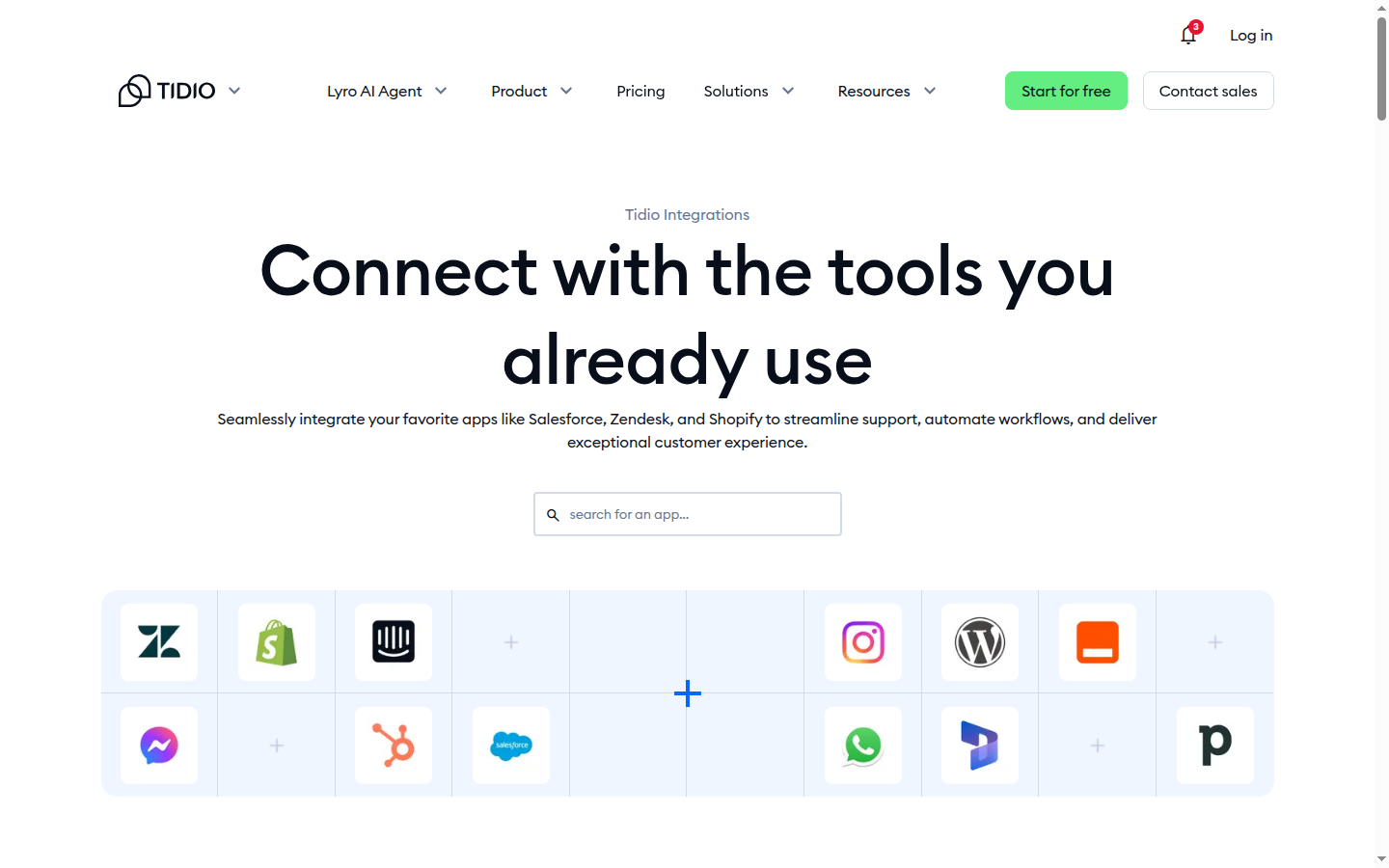
- The integration surface — Tidio ships plugins for Shopify, WooCommerce, BigCommerce, and a number of other ecommerce carts, and it has connectors for HubSpot, Salesforce, and Zendesk, but the depth varies by connector.
If those three checks line up, the Growth tier usually carries an SMB store until you cross 1,000 chats a month. Beyond that, the move to Plus shifts the conversation from price-per-plan to price-per-conversation, and the procurement becomes a sales process rather than a checkout (tidio.com/pricing, captured recently).
Pricing questions, and the ones about the AI agent — the FAQ
Does Tidio have a free plan?
Yes. The pricing page lists a Free plan at $0 with 50 billable conversations, and it sits in the plan grid alongside the paid tiers — it is a permanent tier, not a trial. Paid plans start at $29/mo billed monthly ($24.17 on annual billing), and every card carries a 7-day trial.
Is Lyro AI included in every plan?
Starter bundles 50 Lyro AI conversations as a one-off; Plus is custom and Premium starts at 3,000. The Growth card publishes no Lyro quota of its own. You can also buy Lyro as a standalone add-on — $39/mo billed monthly, $32.50/mo on the annual plan — for 50 conversations.
How is conversation volume priced above the included quota?
Tidio’s calculator exposes tier steps up to 2,000 live conversations, 1,000 Lyro chats, and 100,000 Flow visitors reached. The rate at each tier is what the calculator shows. Intermediate tiers (e.g., 400 live, 600 live) are visible inside the calculator, not on the static pricing grid (tidio.com/pricing, captured recently).
Does Tidio integrate with Shopify and WooCommerce?
Yes. Tidio ships official plugins for Shopify, WooCommerce, BigCommerce, and a number of other ecommerce platforms. The chat widget and Flows can pull cart state and product context from these (tidio.com, captured recently).
What happens at the end of the 7-day trial?
The account downgrades or asks for a paid plan; trials are not auto-extended. The exact post-trial state was not checked in this capture (tidio.com/pricing, captured recently).
Is there an annual discount?
Yes — annual billing gives two months free, which works out to roughly 16.67% off the monthly equivalent rate on every plan (tidio.com/pricing, captured recently).
How we put this together: the plan prices on both billing intervals, the conversation quotas, the add-on rates and the trial terms come from tidio.com/pricing and the vendor’s own product pages for Lyro and Flows, read in September 2026. We have not checked out a paid Tidio plan.
Figures that depend on a real workload, a real target or a real integration are flagged where they appear in the text rather than being estimated.
Disclosure: this article contains affiliate links. If you buy through them we may earn a commission at no extra cost to you. Commission never changes our scoring or the order of a ranking.