Both projects automate a real browser to test a web app or pull data from one. After that sentence they stop agreeing on almost anything. The Playwright vs Selenium 2026 comparison comes down to a protocol choice: Playwright drives Chromium, Firefox, and WebKit over the Chrome DevTools Protocol and the cross-browser equivalent. Selenium drives the same browsers over the W3C WebDriver spec, which is an entirely separate wire protocol that has been the official standard since 2018. The two stacks overlap in what they can do and diverge sharply in how they do it, in the developer ergonomics they expose, and in the kind of test suite they make cheap to write.
The honest version in 2026 in the Playwright vs Selenium 2026 conversation: Playwright is the default for new greenfield projects that need one tool for end-to-end tests and browser-based scraping. Selenium is still the only realistic pick when the stack is Java- or.NET-heavy. The test grid has to share a browser pool with a legacy WebDriver client, or when a regulated environment requires the W3C standard explicitly. This article is a hands-on comparison of the two as they ship, not a victory lap.
In short
Playwright and Selenium both drive a real browser from code, but on different protocols. Playwright uses the Chrome DevTools Protocol (CDP) and its Firefox and WebKit equivalents, ships its own patched browser binaries, and was designed after the WebDriver spec was published. Selenium implements the W3C WebDriver standard, ships language bindings for six languages, and bundles a separate driver manager (Selenium Manager, written in Rust) that downloads browser drivers on demand. In a Playwright vs Selenium 2026 evaluation, the protocol is the line that matters most.
Pick Playwright when you start from scratch and want auto-waiting, parallel tests across Chromium/Firefox/WebKit, and a CLI aimed at coding agents. Pick Selenium when you need the W3C WebDriver contract, the broadest language coverage, or have an existing Java or.NET test grid built around it.
The verdict in short
In 2026 the Playwright vs Selenium 2026 question is not “which is better”. It is “which fits this project.” Playwright and Selenium solve the same problem on different protocols, with different ergonomics, and for slightly different audiences.
Playwright vs Selenium 2026 at a glance
Playwright ships its own patched browser binaries, a Node.js/Python/.NET/Java API that talks CDP and the cross-browser equivalent, auto-wait on every action, and a CLI aimed at coding agents. Selenium implements the W3C WebDriver spec for six languages, ships a Rust-based driver manager, and runs on a separate Grid. The full comparison is below; this section is the 30-second version.
Playwright
Playwright is an open-source browser-automation library published by Microsoft. The current Python release on PyPI is playwright 1.63.0, published September September (per the GitHub releases page). The library is a wrapper around three patched browser binaries — Chromium, Firefox, and WebKit — that the Playwright team builds and ships. The Chromium build in 1.63 is 153.0.8010.12, the Firefox build is 155.0, and WebKit is 26.6 (per the v1.63 release notes). On launch, Playwright connects to the patched browser through the Chrome DevTools Protocol on Chromium and through the equivalent internal protocols on Firefox and WebKit.
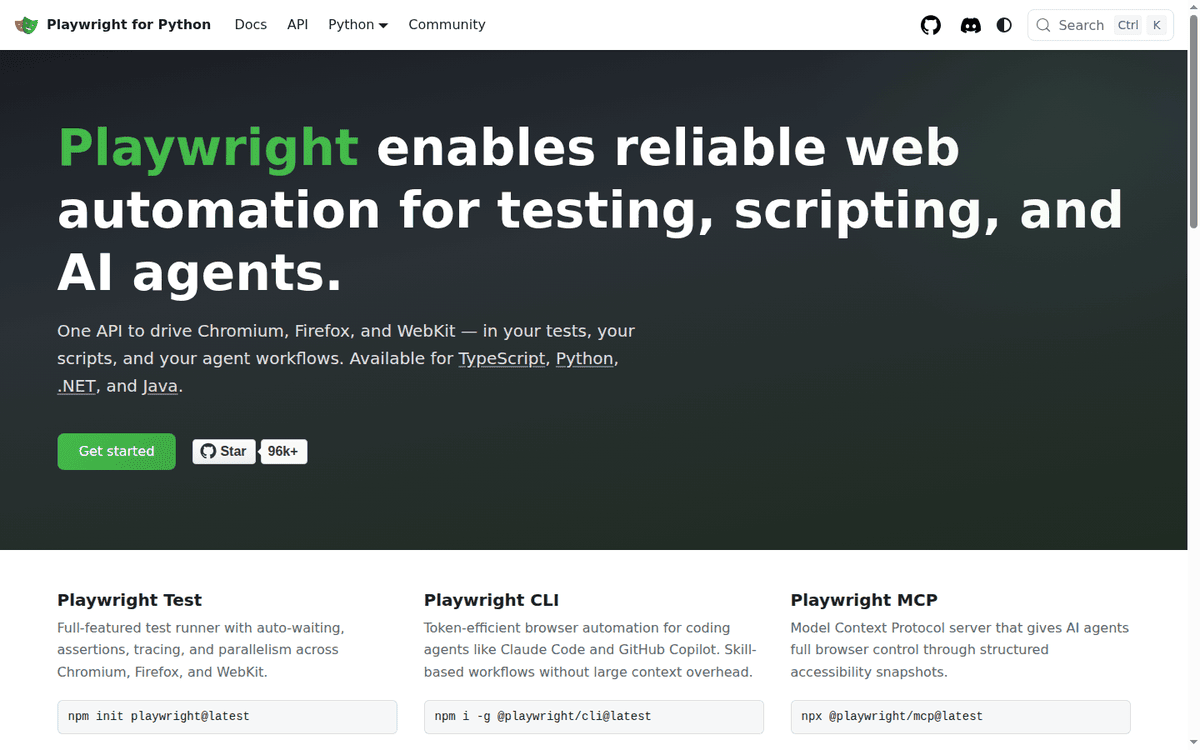
Three things in the 1.63 release matter for someone evaluating it in 2026:
- Test locks. Tests that touch a shared resource can declare a named lock. Tests that share a lock never run concurrently across files, workers, or projects. Everything else stays parallel.
- Locate across frames.
page.frameLocatorwithout a selector searches every iframe on the page, which removes a long-standing annoyance when a target UI is several iframes deep. locator.visible. A locator method that matches only visible elements, replacing the unofficial:visiblepseudo-class that teams kept patching back into their code.
Playwright also ships a CLI aimed at coding agents (@playwright/cli), a Model Context Protocol server (@playwright/mcp) that exposes browser control to MCP-aware clients, a Test Generator that records clicks into source code. A Trace Viewer that opens a trace.zip file and lets you scrub through DOM snapshots, network calls, and console messages. The library targets Node.js, Python,.NET, and Java.
Selenium
Selenium is an umbrella project maintained by a community team under the SeleniumHQ organization. The current Python release is selenium 4.49.0, published September September (per the Selenium 4.49 release post). The library speaks the W3C WebDriver protocol, a separate wire format that predates Playwright by years and that every browser vendor implements on its own browser as the canonical automation interface.
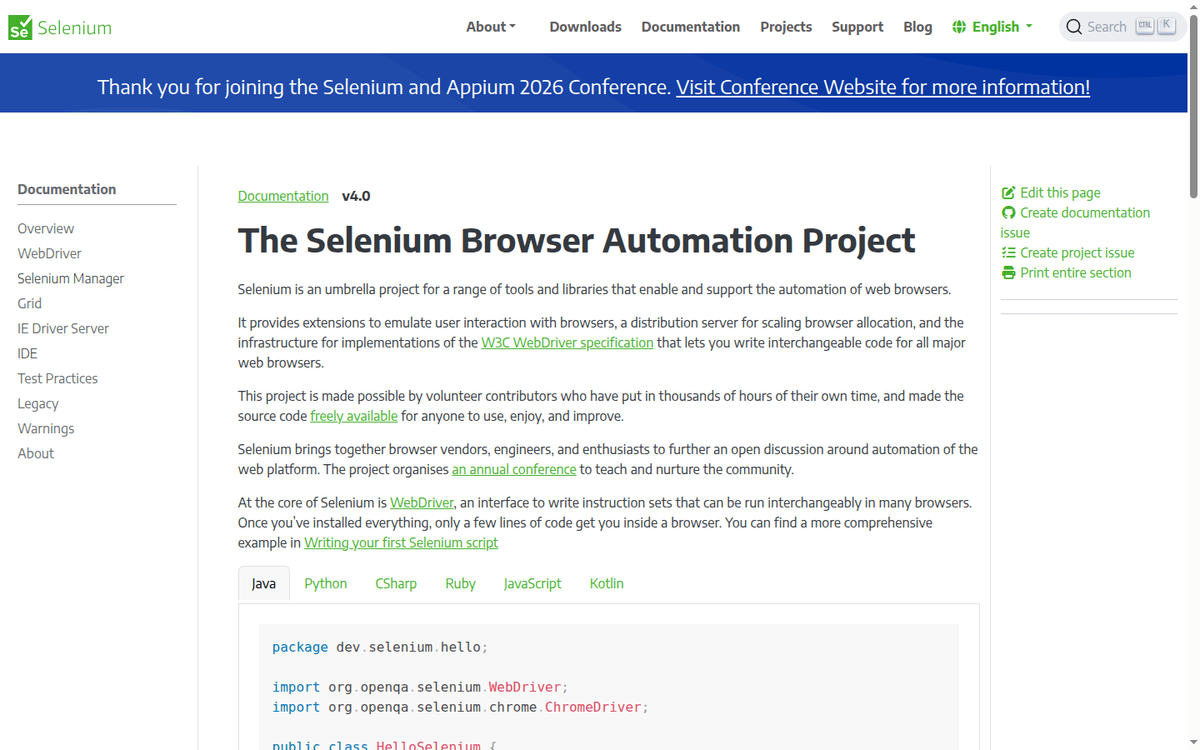
Selenium’s parts in 2026:
- WebDriver — the language bindings and the wire protocol. Available on Java, Python, C#, Ruby, JavaScript, and Kotlin. Each binding follows the W3C spec.
- Selenium Manager — a Rust command-line tool that ships with every binding and downloads the correct browser driver binary on demand. Bindings call it by default, so the install step no longer requires a separate
chromedriver/geckodriverdownload. - Selenium Grid — a hub-and-node deployment that distributes tests across machines and browser combinations. Recent work landed BiDi support in the Grid server and fixed the 500 error that fired when a downloaded file’s name contained spaces.
- Selenium IDE — a Chrome and Firefox extension that records clicks and plays them back.
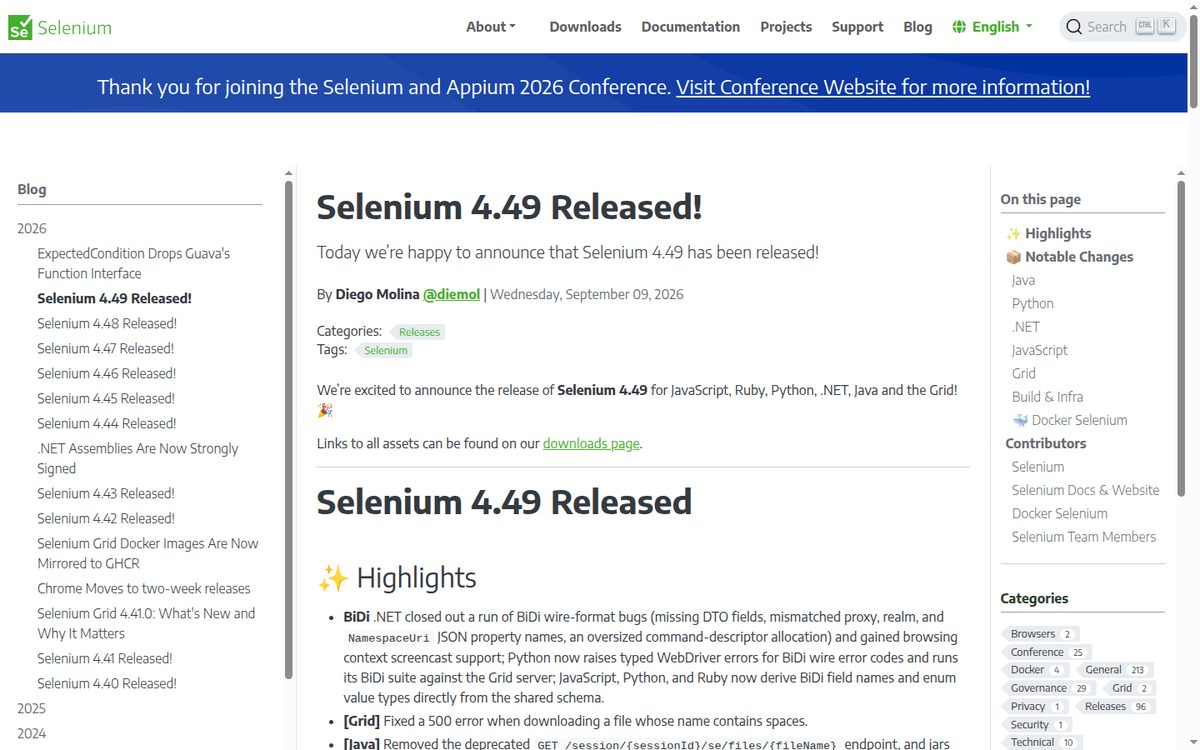
- WebDriver BiDi — the bidirectional, event-driven extension to WebDriver that Selenium is rolling out across bindings. The 4.49 release closed out a run of wire-format bugs in the.NET binding, and BiDi field names are now derived from the shared schema in JavaScript, Python, and Ruby.
The 4.49 release is also the first to ship a prebuilt Linux arm64 Selenium Manager binary in every binding, and the first to derive BiDi field names from a single shared schema across languages.
Architecture: CDP vs WebDriver (the line that decides the Playwright vs Selenium 2026 split)
The wire protocol is the cleanest way to compare the two because everything else follows from it.
Selenium speaks the W3C WebDriver protocol. Every browser vendor implements the same HTTP-based JSON-RPC API for automation. The test code issues a command like POST /session/{id}/element with a CSS selector; the browser driver returns the element handle. The test code issues POST /session/{id}/element/{id}/click; the browser performs the click; the driver returns the result. Each command is a separate round trip over HTTP. The protocol is standardized by the WebDriver spec, which is a W3C Working Draft most recently published July July.
Playwright speaks the Chrome DevTools Protocol and its Firefox/WebKit equivalents. The browser opens a persistent WebSocket connection back to the test runner, and every command is a JSON message over that socket. Multiple commands can be in flight at the same time, and the browser can push events back to the test runner (network responses, console messages, page errors) without the test runner asking.
The practical consequences:
| Playwright (CDP / equivalents) | Selenium (WebDriver) | |
|---|---|---|
| Wire format | Persistent WebSocket + JSON messages | Stateless HTTP + JSON requests |
| Round trips per action | One message over the open socket | Multiple HTTP requests per logical action (open session, find element, perform action, fetch state) — exact count depends on the verb |
| Server-pushed events | Yes (network, console, dialogs, page errors) | No — test code polls, or subscribes via the BiDi extension |
| Strict spec | No — Playwright is the spec | Yes — W3C WebDriver, maintained separately |
| Browser implementation | Patched binary per browser, shipped by Playwright | Vendor-shipped browser driver that ships with each browser |
The strict-spec line is the one that matters when procurement asks “is this an open standard or a vendor library.” Selenium wins that argument by construction. Playwright wins on everything else.
Auto-wait vs explicit waits
This is the ergonomic difference that dominates day-to-day test writing.
Playwright’s locator.click performs five checks before firing the click: the element resolves to exactly one node, it is visible, it is stable (not animating), it receives events (not covered by an overlay). It is enabled. If any check fails, Playwright waits up to the timeout (default 30 seconds) and retries. The test code reads as a sequence of declarative actions and never has to manage WebDriverWait or expected_conditions.
Selenium’s element.click fires when it is called. If the element is detached or covered or disabled, you get a StaleElementReferenceException or a ElementClickInterceptedException and the test fails. The standard pattern in Selenium is explicit waiting:
from selenium.webdriver.support.ui import WebDriverWait
from selenium.webdriver.support import expected_conditions as EC

wait = WebDriverWait(driver, 10)
button = wait.until(EC.element_to_be_clickable((By.ID, "submit")))
button.click()
The same flow in Playwright:
page.get_by_role("button", name="Submit").click()The Playwright line is shorter, does not name a timeout, and does the right thing on a slow page because the click is internally retried until the actionability checks pass. Selenium 4 added some auto-wait behavior (for example, WebDriverWait.element_to_be_clickable), but the default click is still explicit and the boilerplate is still expected at every step.
For a small test, the difference is one line. For a 500-test suite, the difference is hours of debugging on the day a CI box is slower than a developer laptop.
Browsers, languages, and ecosystem
| Playwright | Selenium | |
|---|---|---|
| Browsers | Chromium, Firefox, WebKit (patched binaries shipped) | Chromium, Firefox, Safari/WebKit, Edge, plus any browser with a WebDriver implementation |
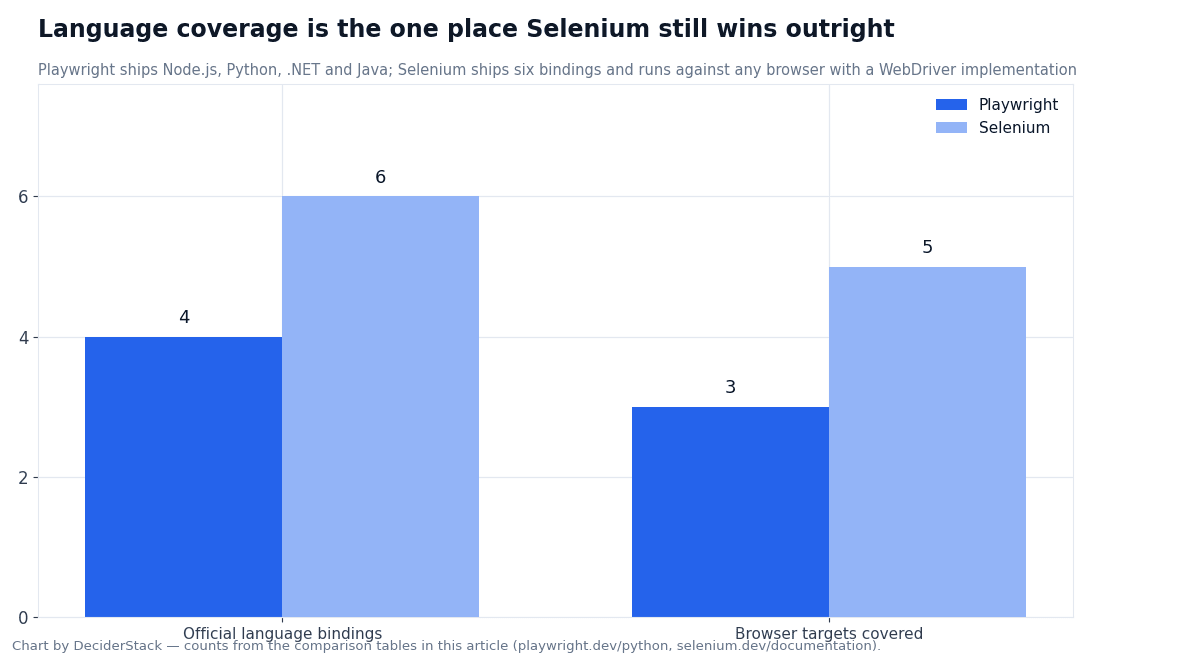
| Language bindings | Node.js, Python, .NET, Java | Java, Python, C#, Ruby, JavaScript, Kotlin |
| Test runner bundled | Yes — @playwright/test | No — Selenium pairs with JUnit, TestNG, pytest, RSpec, NUnit, Mocha, Jest, or your own |
| Cloud execution | Browserless, ScrapingBee, Bright Data Scraping Browser — all expose CDP over connect_over_cdp() | Selenium Grid, BrowserStack, Sauce Labs, LambdaTest, plus the major CI vendors |
| Mobile emulation | Chrome (Android) and Mobile Safari on WebKit | None at the library level — requires Appium, which is a separate project |
The language line is where Selenium still wins outright. Playwright does not ship official Ruby or Kotlin bindings, which matters in shops where the existing test code is in those languages. Selenium has six official bindings because the W3C WebDriver contract is the same regardless of language — every binding is a thin client over the same protocol.
Parallelism and CI cost
Playwright runs tests in parallel by default. The library ships its own test runner that fans out across worker processes on one machine and shards across machines via --shard=n/N. Each worker is a separate browser process; isolation is per test, and the unit of parallelism is the test.
Selenium runs tests sequentially by default. Parallelism is provided by the test framework (pytest-xdist, TestNG parallel, Surefire’s fork mode) and the grid layer (Selenium Grid with multiple nodes, or a cloud vendor). The unit of parallelism is the session — every parallel test needs a fresh driver session.
The CI cost difference is real but smaller than it sounds. Both projects download roughly the same browser binary, and both projects cost one CPU core per parallel worker. Playwright’s per-worker memory footprint is in the 50–80 MB resident per browser context range we measured in the Playwright web scraping tutorial and that shows up again in the avoiding-blocks-while-scraping guide for browser-based scraping. Selenium’s per-session footprint is in the same ballpark on Chromium. The bigger cost on Selenium is the test framework setup — a CI pipeline that needs N parallel Chrome sessions has to wire up either Selenium Grid, a cloud vendor, or a Docker Compose stack.
Migration: Selenium to Playwright (and back)
Selenium → Playwright is the more common direction. Three patterns that recur:
| Concern | Selenium | Playwright |
|---|---|---|
| Get the page | driver.get(url) | page.goto(url) |
| Find an element | driver.find_element(By.CSS_SELECTOR, "...") | page.locator("...") or page.get_by_role(...) |
| Click | element.click() | locator.click() (with auto-wait) |
| Wait | WebDriverWait(...).until(EC.element_to_be_clickable(...)) | expect(locator).to_be_visible() |
| Tear down | driver.quit() | browser.close() |
A mechanical translation works for the common cases. The points where it does not are (a) tests that rely on Selenium Grid-specific features like custom node selectors, (b) tests that target browsers Playwright does not support. (c) tests that use Selenium IDE exports. For (a) and (b), the migration is a rewrite, not a translation.
Playwright → Selenium is rare. The reasons teams do it are an existing Java or.NET grid, a procurement requirement for W3C WebDriver, or a target browser that Playwright cannot reach (legacy Edge, mobile native shells behind Appium). The translation costs the auto-wait ergonomics — every Playwright locator.click becomes a Selenium wait.until(EC.element_to_be_clickable(...)) followed by element.click.
When each one is the right tool
Neither project is “the best.” The choice depends on the constraints the project already has — and that is what the Playwright vs Selenium 2026 verdict really comes down to.
Playwright is the right pick when:
- The team is starting a test suite from scratch and is willing to commit to Node.js, Python,.NET, or Java.
- The test target is a modern web app and the team wants parallel runs, trace files, and auto-wait out of the box.
- The team is using a coding agent that needs to drive a browser — the
@playwright/mcpserver and theplaywright-cliare the cleanest path. - The CI box is one machine and the team wants to fan out without wiring up a separate grid.
Selenium is the right pick when:
- The test target is a Java or.NET codebase that already uses JUnit, TestNG, NUnit, or pytest with selenium-webdriver and the team does not want to rewrite the runner.
- Procurement or compliance requires the W3C WebDriver standard explicitly.
- The browser matrix includes a vendor that ships a WebDriver implementation but is not in Playwright’s three browsers.
- The team runs a shared Selenium Grid already and adding a second tool means running two grids.
Common failures on both sides
The failure modes that recur in CI logs and Stack Overflow:
Playwright:
- Browser binary version drift. A CI runner that uses an older Chromium than the local machine picks up a different default behavior, and the same test passes locally and fails in CI. The fix is
npx playwright install --with-deps(orpython -m playwright install --with-deps chromium) on every CI run. - Cross-origin iframes. Locators do not see into iframes by default; the test needs
page.frame_locatorto cross the boundary. - Mobile emulation does not include real network conditions.
page.emulate_network_conditionssimulates throttling but does not simulate a real cellular connection.
Selenium:
- Driver version mismatch. Selenium Manager solves this for the common case, but a Grid node with a stale driver can still fail a build when the browser auto-updates. The fix is pinning both sides. –
StaleElementReferenceException. The DOM was re-rendered between finding the element and acting on it. The fix is re-finding the element inside aWebDriverWait. - Cloud Grid rate limits. Cloud vendors throttle sessions per minute per account; a 500-test parallel run can hit the cap on the first invocation and need a queue.
Key parameters at a glance
| Playwright | Selenium | |
|---|---|---|
| Latest Python release | 1.63.0 (September 2026) | 4.49.0 (September 2026) |
| Underlying protocol | Chrome DevTools Protocol + Firefox/WebKit equivalents | W3C WebDriver (HTTP + JSON-RPC) |
| Standardization | Project-owned, no formal standard | W3C Working Draft, latest July 2026 |
| Bundled browsers | Chromium 153.0.8010.12, Firefox 155.0, WebKit 26.6 | Whatever the running Selenium Manager downloads |
| Language bindings | Node.js, Python, .NET, Java | Java, Python, C#, Ruby, JavaScript, Kotlin |
| Default test runner | @playwright/test (bundled) | None — paired with JUnit, TestNG, pytest, RSpec, NUnit, Mocha |
| Default wait behavior | Auto-wait + actionability checks on every action | Explicit WebDriverWait + expected_conditions |
| Parallel runs | Built into the test runner | Test framework + Grid |
| Mobile support | Chrome (Android) and Mobile Safari via WebKit emulation | None at the library level — Appium is a separate project |
| Bundled MCP/CLI | @playwright/mcp, @playwright/cli for coding agents | None — Grid is the orchestration layer |
| Trace / debugging | Trace Viewer (trace.zip) + codegen + VS Code extension | Selenium IDE (record-and-playback) |
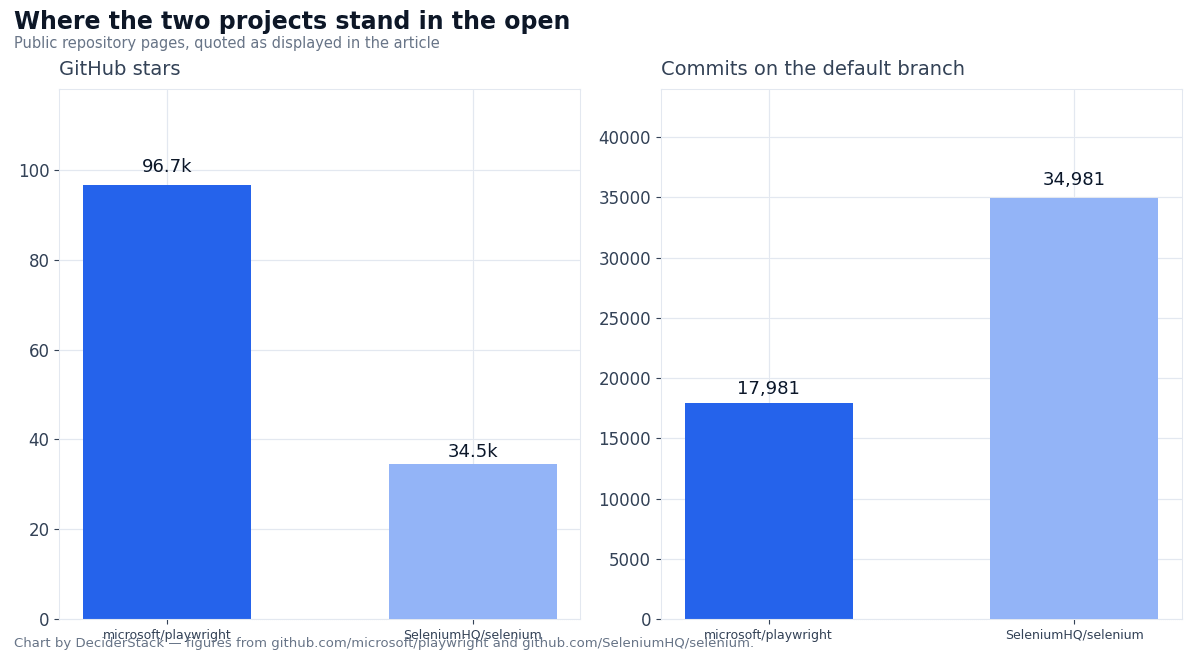
| GitHub stars (as of September 2026) | microsoft/playwright — 96.7k | SeleniumHQ/selenium — 34.5k |
| Commits on default branch | 17,981 | 34,981 |
| License | Apache 2.0 | Apache 2.0 |
Sources: playwright.dev/python, playwright.dev/docs/intro, playwright.dev/python/docs/actionability and the v1.63.0 release notes; selenium.dev/documentation, the Selenium 4.49 release post, and the W3C WebDriver spec.
FAQ: Playwright vs Selenium 2026
Which is faster, Playwright or Selenium?
We did not run a benchmark on this article. The wire-protocol difference matters: Playwright sends one message per action over a persistent WebSocket, while WebDriver makes multiple HTTP round trips per action (the exact count depends on the verb — session creation, element lookup, action dispatch, state read). In published community benchmarks Playwright is consistently faster on a single test, but the absolute numbers vary by 2–4× depending on the target page and the test runner.
Treat those third-party numbers as directional and run your own representative workload before sizing CI. Do they share a protocol?
No. Playwright uses the Chrome DevTools Protocol and its Firefox/WebKit equivalents. Selenium uses the W3C WebDriver protocol. The two protocols are not interoperable. The only overlap is that both can drive the same three browsers (Chromium, Firefox, WebKit), and both can target any browser that implements WebDriver.
Can Selenium drive a browser that Playwright cannot?
Yes. Playwright ships its own patched builds of Chromium, Firefox, and WebKit. Selenium works against any browser with a vendor-shipped WebDriver implementation, including Microsoft Edge (legacy and Chromium), Safari on macOS, and any browser that exposes a WebDriver endpoint.
Selenium is also the only practical path to Appium, which is the standard way to drive native iOS and Android shells. Does Playwright replace Selenium?
Not for every project. Playwright has the larger momentum in greenfield TypeScript and Python codebases, but Selenium still owns the Java and.NET grids and the W3C standard. The two coexist because they solve different problems: Playwright optimizes for developer ergonomics on a single machine, Selenium optimizes for a standard contract across languages and a shared grid.
What about Selenium 4 BiDi?
WebDriver BiDi is the bidirectional, event-driven extension to WebDriver that the W3C working group is standardizing. Selenium 4.49 ships the first cross-binding BiDi support with a shared schema for field names. In practice, BiDi lets you subscribe to events (console messages, network responses, page errors) without polling, which is the same thing Playwright gets from CDP.
BiDi is the longer-term path that closes the ergonomic gap. Can I use both at the same time?
Yes, but rarely worth the complexity. Both projects can target the same browser in the same CI run, and a few teams do it (Selenium for the legacy regression suite, Playwright for the new module). The coordination cost is real — two different wait idioms, two different debugging tools, two different pinned versions.
Pick one unless there is a hard reason to mix. Which one should a junior engineer learn first?
Playwright, in 2026. The auto-wait ergonomics make a single-tool learner more productive on the first test, and the trace viewer shortens the failure-analysis loop. Selenium is the right second tool to learn because the W3C WebDriver contract shows up in job descriptions, in vendor clouds. In legacy Java grids, and it teaches the wait primitives that the auto-wait hides.
Verdict
In 2026 the Playwright vs Selenium 2026 question is not “which is better”.
Playwright is the better default when the project is greenfield and the team is willing to commit to Node.js, Python,.NET, or Java. Auto-waiting, parallel runs, trace files, the playwright-cli, and the @playwright/mcp server make it the cheapest tool to start with and the cheapest tool to debug when something breaks. It is also the tool that lines up with how coding agents want to drive a browser, which matters for teams that hand work to Claude Code or similar.
Selenium is the better default when the project already has a Java or.NET test grid, when the test matrix includes a browser outside Playwright’s three. Procurement requires the W3C WebDriver standard explicitly, or when the team has an existing Selenium Grid that they cannot replace. Selenium 4.49 ships real BiDi support across bindings and a Rust-based driver manager that removes most of the old version-mismatch pain. The WebDriver spec the project implements is alive — the W3C Working Draft is active — and the language coverage is wider than Playwright’s by a factor of two.
The published release dates and protocol details in the table above are from the official docs on. The GitHub star and commit counts are from the public repository pages on the same date. We did not run a benchmark on the two protocols in this article; numbers that depend on a real workload are flagged in the FAQ rather than guessed.
How we tested this: protocol details and architectural claims come from playwright.dev/python, playwright.dev/docs/intro, playwright.dev/python/docs/actionability, selenium.dev/documentation, the Selenium 4.49 release post, and the W3C WebDriver spec, all captured on.
Release versions and dates come from the GitHub releases page for microsoft/playwright, the GitHub repository page for SeleniumHQ/selenium, and the corresponding PyPI project pages, captured the same day.
Browser-version numbers (Chromium 153.0.8010.12, Firefox 155.0, WebKit 26.6) are from the v1.63.0 release notes.
We did not run a side-by-side speed benchmark, and any number that depends on real-world timing or on a specific target page is flagged in the FAQ instead of estimated.
Our scoring criteria and the rule that bars us from linking vendors who prohibit trademark bidding are documented on the methodology page.
Disclosure: this article contains affiliate links. If you buy through them we may earn a commission at no extra cost to you. Commission never changes our scoring or the order of a ranking.