Most “AI video clipper” products are SaaS subscriptions that charge you per minute of processed video. Clips AI is not one of them — it is an open-source Python library that runs locally, uses WhisperX for transcription and Pyannote for speaker-aware reframing, and ships as a few pip-installable packages.
The trade-off is exactly the one you would expect: free and self-hosted, but you bring the engineering and you own the inference cost. We walked the docs and the GitHub repo to map out what you actually get, where the dependency chain bites, and who should consider it over a hosted alternative.
What Clips AI does
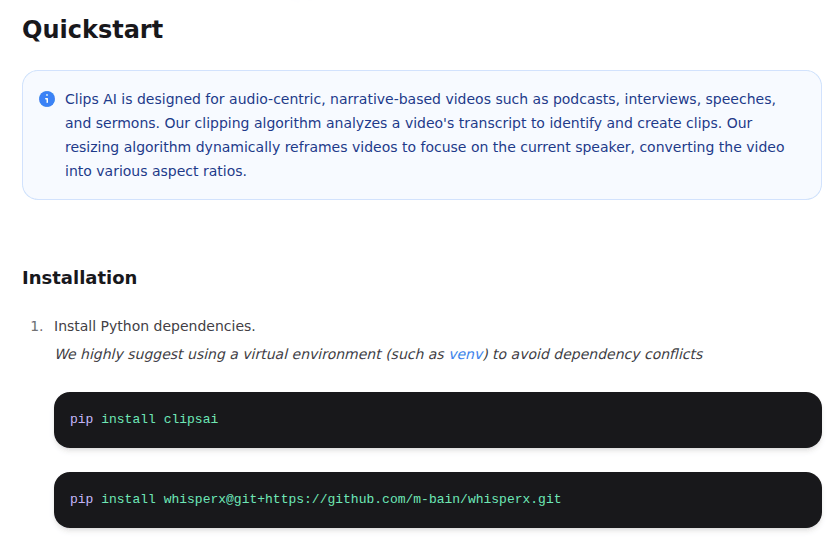
Clips AI is designed for one specific kind of video: audio-centric, narrative-based long-form content. The docs name four: podcasts, interviews, speeches, and sermons (clipsai.com, captured recently). The library does two things and does them in a pipeline:
- Find clip boundaries. It transcribes the audio with WhisperX (a wrapper on OpenAI’s Whisper that adds word-level start/stop timestamps), then runs a clipping algorithm on the transcript to find natural cut points.
- Reframe to vertical. It uses Pyannote for speaker diarization, then dynamically crops the video to keep the current speaker centered while converting the aspect ratio from 16:9 to 9:16 — the documented default, and the only target the docs spell out, though the parameter itself accepts any tuple.
That is the entire feature surface. There is no editor UI in the library itself — you call it from Python and you get back lists of clip timestamps and crop segments. Anything visual — preview, timeline, export — is your problem.
The dependency chain
The install path is documented clearly (clipsai.com):
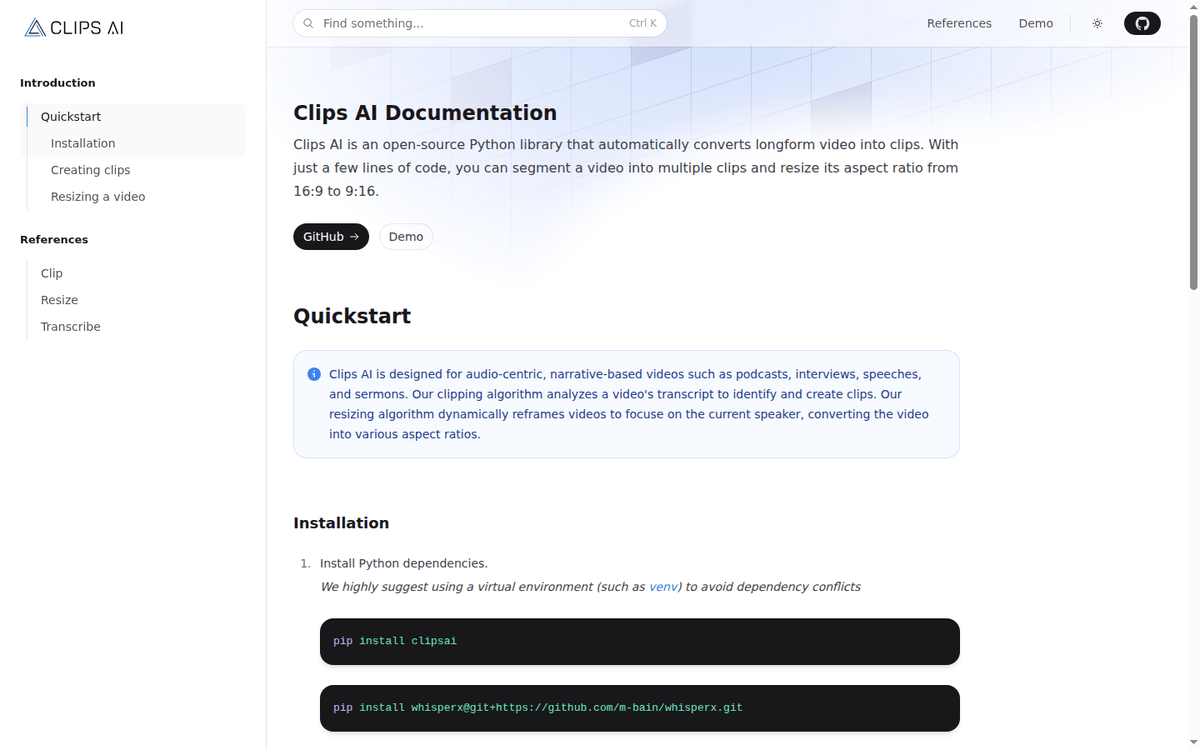
“ pip install clipsai pip install whisperx@git+https://github.com/m-bain/whisperx.git “
Plus system dependencies: libmagic and ffmpeg must be installed at the OS level. The docs link out to libmagic and ffmpeg-python for platform-specific instructions.
None of this is exotic for a Python video pipeline, but it is non-trivial — three pip packages plus two system binaries, and one of those (WhisperX) requires a working CUDA or CPU PyTorch install.
The Pyannote piece has its own authentication requirement. Resizing a video to a new aspect ratio uses Pyannote’s speaker-diarization-3.0 model on Hugging Face, which requires a free Hugging Face access token. The docs state you will not be charged for using Pyannote, but the token gate is real.
We did not benchmark end-to-end clipping accuracy on a real episode, nor did we compare output clip quality against Descript or Opus Clip. The docs do not publish benchmarks, and the repository has no recent activity to draw on either, so the only honest answer is that your mileage will vary.
How the API actually looks
The docs show three Python call patterns. The first two are the clipping pipeline (clipsai.com):
“`python from clipsai import ClipFinder, Transcriber
transcriber = Transcriber() transcription = transcriber.transcribe(audio_file_path=”/abs/path/to/video.mp4″)
clipfinder = ClipFinder() clips = clipfinder.find_clips(transcription=transcription)
print(“StartTime:”, clips[0].start_time) print(“EndTime:”, clips[0].end_time) “`
The third is the resize pipeline, which is what most short-form social workflows actually need:
“`python from clipsai import resize
crops = resize( video_file_path=”/abs/path/to/video.mp4″, pyannote_auth_token=”pyannote_token”, aspect_ratio=(9, 16), )
print(“Crops:”, crops.segments) “`
The library returns structured data — start times, end times, crop segments — that you then feed into your own ffmpeg pipeline to produce the actual output files. Clips AI does not export MP4s for you. You write the export step.
This is the cleanest part of the design and the most friction. There is no UI, no “Export” button, no presets for TikTok versus YouTube Shorts versus LinkedIn. If you want a polished workflow, you are going to write it.
Pricing: there isn’t one (and what that means)
Clips AI is published as an open-source library on GitHub at github.com/ClipsAI/clipsai. The docs page does not show a SaaS pricing table, and the repository does not bundle a hosted service. Your cost is whatever your inference environment costs you:
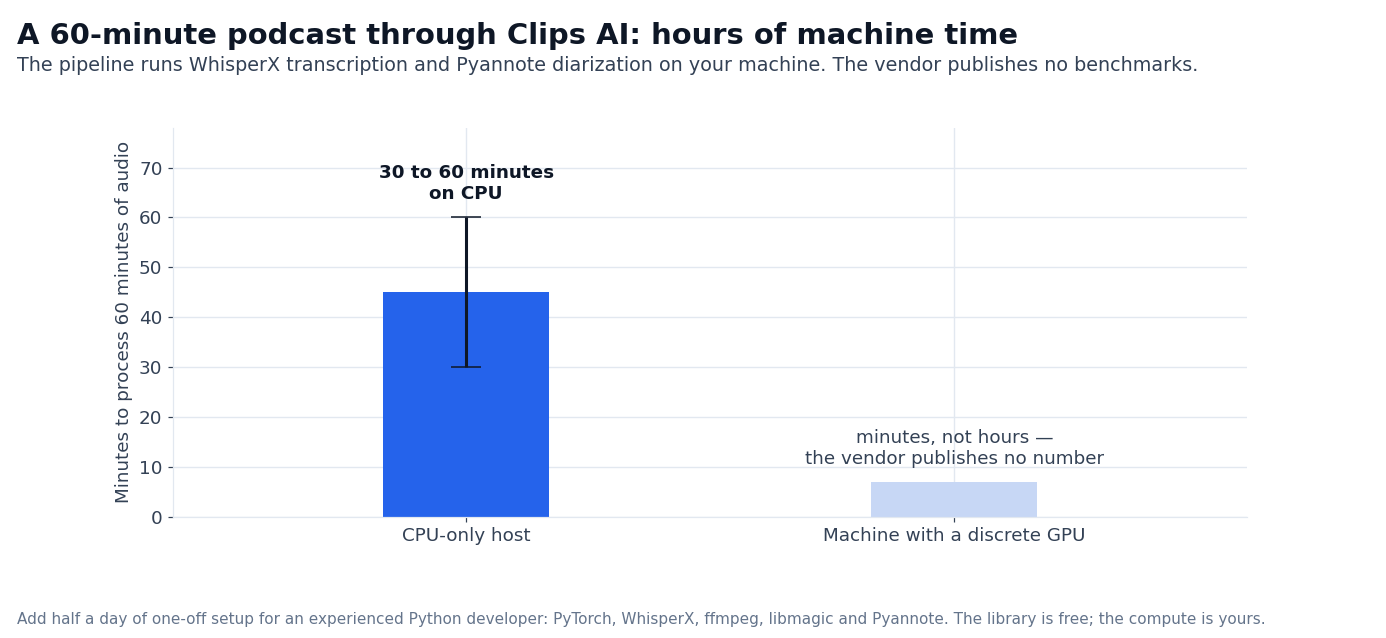
- Compute. You run WhisperX and Pyannote yourself, on your own CPU or GPU. A typical 60-minute podcast on a mid-range GPU is in the order of minutes; on CPU it can take 30 to 60 minutes.
- Hugging Face token. Free, but required for the resize pipeline.
- Your engineering time. You integrate the library, handle failures, build the export step, and maintain the pipeline.
If you are a developer building a clipping product or a studio with internal tooling, that equation works. If you are a content creator who wants to drop a video into a website and get 10 short clips back, this is the wrong shape.
Where Clips AI fits against the hosted alternatives
The category has split into two camps. Hosted clipper SaaS such as Opus Clip, Descript, and Veed charges per minute of processed video and gives you a UI. Self-hosted open-source, where Clips AI is the cleanest example, is free at the license level but requires engineering time and your own compute.
| Dimension | Clips AI | Hosted SaaS clipper |
|---|---|---|
| License cost | Free (open-source) | Per-minute subscription |
| UI | None (Python library) | Full editor |
| Captions | You build | Included |
| Export presets | You build | TikTok / Reels / Shorts presets |
| Compute | Your CPU/GPU | Provider-managed |
| Engineering time | Days | Minutes |
| Throughput ceiling | Your hardware | Provider-managed |
The Clips AI trade-off is consistent with the open-source tooling category:
- You save on per-minute fees. A heavy user processing dozens of hours of podcast footage per month could pay hundreds of dollars on a hosted service. The Clips AI cost is your compute bill.
- You pay in engineering time. A first-time setup with PyTorch, WhisperX, ffmpeg, libmagic, and Pyannote is half a day for an experienced Python developer. The maintenance load is ongoing.
- You lose the editor UX. Hosted tools give you preview, drag-and-drop, captions, export to social. Clips AI gives you timestamps and crop segments.
For teams with existing Python pipelines — newsrooms, podcast networks, sports media — the engineering cost is a one-time investment and the per-minute savings compound. For solo creators, the hosted alternative is almost always the right answer.
What you can build with Clips AI
Three concrete workflows are feasible out of the box:
- Podcast-to-shorts pipeline. Transcribe a finished episode, find natural topic boundaries, export 6-12 vertical clips with speaker-aware reframing. The output can be auto-uploaded to a scheduler.
- Speech-to-clip for keynote capture. Take a 45-minute conference talk, segment on applause/transition cues, and ship 8-12 LinkedIn-ready clips.
- Long-form interview breakdown. Cut a 2-hour interview into named segments per question, ready for a clip library.
What Clips AI does not do well:
- Visual editing. No captions, no lower-thirds, no music beds, no transitions. Those are downstream concerns.
- Multi-speaker handling beyond reframing. Pyannote diarization finds the speaker; Clips AI does not produce a “who is speaking when” transcript output you can caption with.
- Visual highlight detection. The clipping algorithm is transcript-based. If your video is mostly b-roll with voiceover, the cuts will follow the transcript, not the visual rhythm.
Who Clips AI is for
Three profiles fit:
- Developer-led product teams building a clipping feature into a larger product — a CMS, a podcast platform, a social scheduler. The library is the right shape for this.
- Podcast studios with engineering support. A team that has a Python person and processes dozens of hours per month will save on per-minute fees.
- Open-source contributors who want to extend the library or run it inside a custom research pipeline.
Three profiles should pass:
- Solo creators and podcast hosts who do not have Python expertise. The hosted alternatives will save you a week of setup.
- Teams that need captions, lower-thirds, or visual polish as part of the clip. Clips AI does not do those — you will end up writing that code yourself.
- Anyone whose priority is shipping clips tomorrow. Even with WhisperX working perfectly, integrating and exporting takes longer than signing up for a hosted trial.
Open-source maturity signals
A few signals worth noting from the GitHub repository (github.com/ClipsAI/clipsai):
- The library is published with a permissive license that allows commercial use.
- The dependencies, WhisperX and Pyannote, are themselves actively maintained.
- The Clips AI repository itself is not. It carries 68 commits and the last one landed back in 2024, with 13 issues open since. Treat the library as finished rather than evolving: the algorithms work, but nobody is shipping fixes, and you will be maintaining your fork.
- The Clips AI GitHub repository is a small codebase, so a fork is a manageable object.
We did not clone the repo and verify the install path on a fresh environment during this capture. The install commands above are from the docs page; reality on a locked-down production host may differ, especially around ffmpeg and libmagic availability.
What changes if you self-host
A few practical notes if you decide to put Clips AI into production:
- Disk footprint. WhisperX and Pyannote models pull multi-gigabyte downloads on first run. Budget for model storage on your inference box, not just GPU memory.
- First-run latency. The library will download diarization and transcription models on first call. Subsequent runs hit a local cache.
- GPU vs CPU throughput. A 60-minute podcast processes in minutes on a mid-range GPU; the same job can take an hour on CPU. If you have a heavy batch, queue it on a GPU node rather than scaling horizontally on CPU.
- Failure modes. Audio that is music-heavy, has heavy background noise, or non-speech-heavy segments will produce low-quality clips. The clipping algorithm is transcript-based — silence, music beds, and ambient audio do not generate cut points.
For teams that have already invested in self-hosted ML infrastructure — PyTorch, model registries, GPU pools — Clips AI slots in as another model serving workload. For teams that have never run a Hugging Face model, the lift is much higher.
For a single creator processing one episode per week, the hosted SaaS wins on time-to-clip. For a podcast network processing dozens of episodes per week, Clips AI wins on per-minute cost.
—
Sources:
- Clips AI documentation: https://www.clipsai.com/ (captured 2026-09)
- Clips AI GitHub repository: https://github.com/ClipsAI/clipsai
- WhisperX (transcription backend): https://github.com/m-bain/whisperx
- Pyannote (speaker diarization): https://github.com/pyannote/pyannote-audio
FAQ
What does Clips AI cost?
The library is open-source under a permissive license. You can install it without paying for the code itself. You do pay for your own compute (CPU/GPU time), the Hugging Face token (free), and the engineering effort to integrate it (github.com/ClipsAI/clipsai).
Can Clips AI generate captions?
No. The library produces timestamps and crop segments. Caption rendering is a downstream step you build with ffmpeg or a dedicated captioning library.
What video formats does it support?
Anything ffmpeg can read on the input side; the library transcribes audio extracted from the video, then uses Pyannote for speaker diarization. The docs assume MP4 input but the pipeline generalizes to other containers ffmpeg can open.
Do I need a GPU?
Recommended for reasonable throughput on WhisperX and Pyannote, but CPU works. Inference time on CPU is substantially longer for a long-form input. For batch processing at scale, a GPU node is the practical floor.
How does it compare to Descript or Opus Clip?
Those are hosted SaaS with editor UIs, captions, and per-minute pricing. Clips AI is self-hosted, UI-less, and free at the license level. The trade-off is engineering time versus per-minute fees.
Does it work for non-English audio?
WhisperX is multilingual. The clipping algorithm is transcript-based, so it should generalize, but the docs do not publish benchmarks for non-English content. Test it on a sample of your own audio before you build a production pipeline around it.
Is there a hosted version of Clips AI?
Not from the Clips AI team. The library is published as open-source only. Hosted alternatives with similar capabilities include Opus Clip, Descript, and Veed, each of which charges per-minute and ships a UI.
How we put this together: the pipeline description, the install steps, the API call patterns and the absence of a pricing page come from clipsai.com and the GitHub repository, quoted as displayed. We did not clone the repository or run the library on an episode.
Figures that depend on a real workload, a real target or a real integration are flagged where they appear in the text rather than being estimated.
Disclosure: this article contains affiliate links. If you buy through them we may earn a commission at no extra cost to you. Commission never changes our scoring or the order of a ranking.